
How Can Magic Leap 2 Support Training And Remote Assistance In The Workplace?
Training and remote assistance can be difficult when employees need to learn complex tasks, work with unfamiliar equipment, or receive...
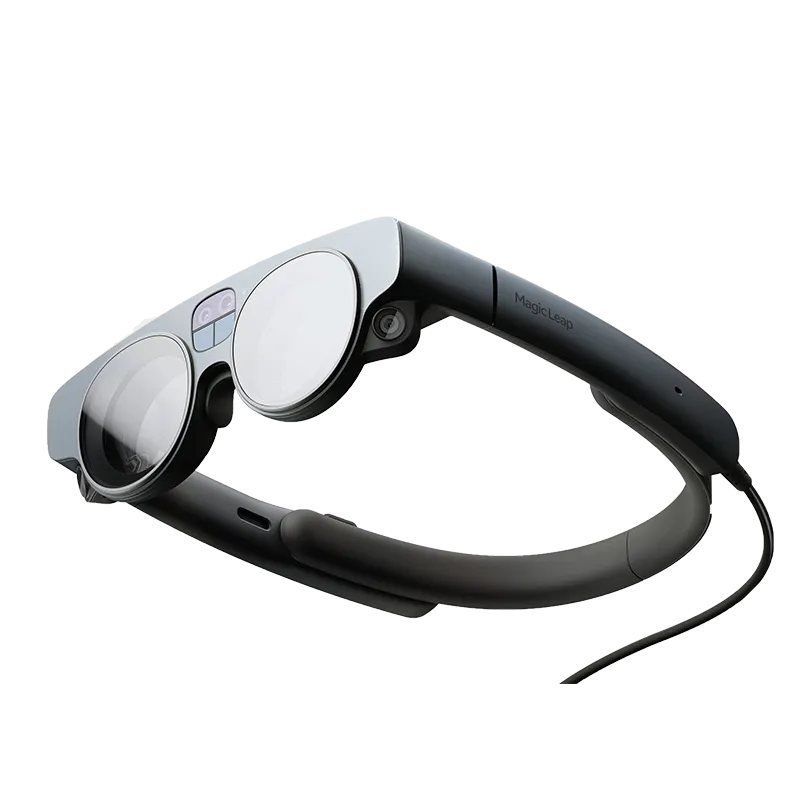
Training and remote assistance can be difficult when employees need to learn complex tasks, work with unfamiliar equipment, or receive guidance from someone who is not physically nearby. Traditional training materials such as manuals, videos, and desktop instructions can provide useful information, but they may not always show workers what to do in the environment where the task is actually performed.
This is where augmented reality can offer a different approach. Magic Leap 2 AR headset is designed for professional use and combines digital content with the physical environment. Its binocular display can place 3D digital information within the user’s field of view, helping employees interact with visual information while remaining aware of their surroundings.
Make Training More Visual
Some workplace procedures are easier to understand when employees can see instructions rather than simply read them.
With the Magic Leap 2 AR headset, training applications can display digital objects, visual guides, and other 3D content within the user’s surroundings. This can be particularly useful when a task involves several steps or when employees need to understand how different components relate to one another.
Instead of looking down at a manual and then returning their attention to the equipment, workers can potentially access digital information within their field of view.
This can make training more interactive and help connect theoretical information with practical tasks.
Support Hands-Free Learning
Hands-free access can be useful in workplaces where employees need both hands to handle equipment or complete procedures.
It supports voice commands, eye tracking, hand tracking, and a controller. These different control methods give applications several ways to interact with digital content.
For training environments, this can allow users to interact with instructions without constantly reaching for a keyboard, tablet, or other separate device.
The benefit is not simply convenience. Keeping attention on the task can be important when workers are learning a physical process.
Improve Equipment Training
Equipment training can become complicated when workers have to understand machinery, components, or technical procedures.
A 3D digital model can help demonstrate how a component fits into a larger assembly. It can also give trainees a visual reference while they work through a process.
Because it is designed to blend digital content with the physical environment, it can support training experiences where digital information is presented alongside real-world objects.
This could be useful in engineering and manufacturing environments where understanding physical equipment is an important part of the learning process.
Help Teams With Remote Assistance
Remote assistance is another area where augmented reality can be useful.
Imagine a technician working at a site while an experienced specialist is located somewhere else. Instead of relying entirely on a phone call or written instructions, an AR application could provide visual information in the technician’s environment.
The headset itself does not automatically provide remote assistance. The experience depends on the software and communication platform being used. However, the hardware can provide the visual and interaction capabilities needed for these types of applications.
The camera supports 12.6MP imaging and 4K video at 30 frames per second, while WiFi and Bluetooth provide connectivity options.
These capabilities can support applications that require visual communication or access to digital information while working in the field.
Support Different Types Of Workers
Not every employee learns in exactly the same way.
Some people understand instructions quickly through written information. Others benefit from demonstrations and visual examples.
It can support training applications that use 3D visual content, interactive elements, and real-world surroundings. This creates opportunities for organisations to develop more engaging training experiences.
Its 260-gram weight and ergonomic design are also intended to support professional use during extended sessions. The device has a 3.5-hour battery life, which can be relevant when planning training sessions and workplace deployments..
Think Beyond Traditional Training
Workplace training does not have to rely entirely on classrooms, printed manuals, or standard video demonstrations.
AR provides another way to deliver information by placing digital content within a user’s physical environment.
Magic Leap 2 brings together a binocular display, spatial interaction, voice commands, eye tracking, hand tracking, and standalone processing in a device designed for enterprise applications.
For organisations exploring immersive training and remote assistance, these capabilities can provide a foundation for developing more interactive workplace experiences.
Conclusion
Training and remote assistance often require employees to understand information while completing real-world tasks. Magic Leap 2 can support this approach by combining digital 3D content with physical surroundings.
Its visual display, tracking capabilities, camera, connectivity, and lightweight design make it suitable for a range of professional AR applications. The real value, however, comes from how organisations use the hardware with appropriate software and training content.
When implemented around a clear workplace need, AR can become a practical addition to traditional training and support methods.
FAQs
1. What can this AR headset be used for in workplace training?
It can support applications involving 3D visualisation, workforce training, interactive content, and collaboration. Training is one of its professional use cases.
2. Can it provide remote assistance?
The hardware can support applications designed for remote assistance through its camera, display, connectivity, and interaction features. A suitable software platform is required to create the complete remote assistance experience.
3. Does it support hands-free interaction?
Yes. It supports voice commands, eye tracking, hand tracking, and controller-based interaction.
4. How much does the headset weigh?
The weight is 260 grams.
5. How long does the battery last?
The battery life is approximately 3.5 hours.
6. Which industries can use this AR headset?
It can be used across industries such as healthcare, engineering, and manufacturing, depending on the applications and software being used.