How an Online Patch Design Tool Makes Branding Easier Than Ever
Patches have quietly become one of the most versatile branding and self-expression tools out there. From biker jackets to corporate...
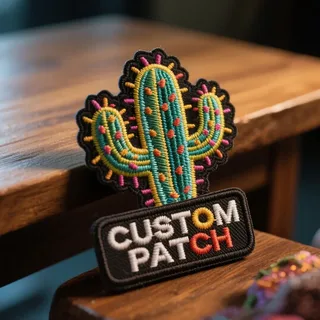
Patches have quietly become one of the most versatile branding and self-expression tools out there. From biker jackets to corporate uniforms, sports teams to school clubs, a well-designed patch can carry an identity in a way few other products can. But getting from “I have an idea” to “I have a finished patch” used to mean sketching, mailing samples, and waiting weeks for feedback from a manufacturer.
That’s exactly the gap a custom patch designer online fills. It puts the entire design process colors, shapes, text, stitch style — directly in your hands, before a single thread is ever sewn.
What Is an Online Patch Design Tool?
An online patch design tool is a web-based platform that lets anyone create a patch mockup without design software or manufacturing experience. Instead of describing your idea over email and hoping the manufacturer understands it correctly, you upload your artwork, pick your patch type, choose your size, and preview the result instantly on screen.
This removes the guesswork for both sides. You know exactly what you’re ordering, and the manufacturer knows exactly what to produce.
Why Designers Are Moving Away from Traditional Ordering
Traditional patch ordering usually followed the same slow pattern:
- Email your idea to a sales rep
- Wait for a hand-drawn or basic digital proof
- Request changes and wait again
- Approve a final design you’re still not 100% sure about
- Wait for production to begin
Designing online collapses that entire cycle into minutes. You see live previews as you adjust colors, backing type, border style, and size — so approval happens on the spot instead of after several rounds of back-and-forth emails.
Key Features to Look For in a Design Tool
Not every design platform is built the same. When choosing one, keep an eye out for:
1. Real-Time Preview The design should update instantly as you change size, color, or shape, so there are no surprises later.
2. Multiple Patch Types A good tool supports custom embroidered patches, along with woven, PVC, leather, and chenille styles, since each material affects both look and cost.
3. Backing Options Iron-on, sew-on, Velcro, and adhesive backing choices should be visible and adjustable within the same design flow.
4. Size and Shape Flexibility Standard shapes like circles and rectangles keep costs down, while custom die-cut shapes should still be an option for unique branding.
5. File Upload Support The ability to upload your own logo or artwork (PNG, JPEG, or vector files) is essential for accurate results.
Who Benefits Most from Designing Patches Online
- Small businesses and startups wanting branded merchandise without hiring a designer
- Motorcycle clubs and biker groups creating custom identity patches
- Sports teams and schools ordering uniform badges in bulk
- Event organizers producing commemorative patches
- Hobbyists and creators making patches for personal projects or online stores
Because the design tool handles the visual side, none of these groups need prior design experience to get a professional result.
How Online Design Tools Help Control Costs
Design choices directly affect patch pricing — thread count, size, backing type, and shape complexity all add up. Using a digital design platform lets you experiment with these variables before committing to an order, so you can:
- Test simpler designs against detailed ones to compare cost
- Switch backing types to see the price difference instantly
- Resize patches to fit a budget without losing visual impact
- Avoid costly redesigns after production has already started
This kind of visibility is something back-and-forth email ordering simply can’t offer.
Tips for Getting the Best Result from a Design Tool
- Start with high-resolution artwork. Blurry or low-quality logos translate poorly into stitched detail.
- Limit your color palette. Fewer thread colors keep both cost and production time lower.
- Choose shapes that match your use case. Rectangles and circles work well for uniforms; custom shapes suit standout branding.
- Preview at actual size. A design that looks great zoomed in may lose detail at a smaller physical size.
- Request a digital proof before final approval. Even with an online tool, a final check avoids last-minute surprises.
Final Thoughts
Designing patches online isn’t just a convenience — it’s changed how individuals and businesses approach patch-making altogether. It shortens the distance between an idea and a finished product, gives more control over cost and quality, and removes the uncertainty that used to come with ordering custom patches. Whether you’re branding a business, honoring a team, or building a personal collection, designing online is now the simplest way to get it right the first time.